In order to use the web component in your context, please include the following script into the <head> tag of your website.
<script type="text/javascript">
  (function(sw,iss,fex) {document.addEventListener('DOMContentLoaded',function(){
    fex='https://hypocheck.swissfex.ch/index.js';sw='script';
    iss=document.getElementsByTagName(sw)[0];sw=document.createElement(sw);sw.async=1;sw.src=fex;iss.parentNode.insertBefore(sw,iss);
  })})();
</script>Default use cases cover the standard cases of our partners, with the minimal configuration options available.
To add the component to your web page, please add the following tag to your page in the desired position:
<sfx-hypo-check api-key="$API_KEY"
                cta-button-redirect-url="$REDIRECT_URL">
</sfx-hypo-check>
$API_KEY Your API-Key$REDIRECT_URL represents the URL the web component will redirect to when clicking the CTA ButtonOther direct properties supported by a component, beside api-key and cta-button-redirect-url:
config-var - global variable's name used for global customisations. More details in the next section.language - by default, the component will try its best to parse and use the language from the lang property of the root <html> element. In case you want to override this functionality, provide a value for this property. Supported options: 'de-ch' | 'en' | 'it-ch' | 'fr-ch'.custom-style-sheet-urls - list of absolute URLs to stylesheets hosted externally or inside your web page, dedicated to delicately customizing the look and feel of the component.The web component's styling is sealed, so only inheritable styles can leak into it from the outside. Functionality is also sealed, but there are 2 ways for configuring custom call to action.
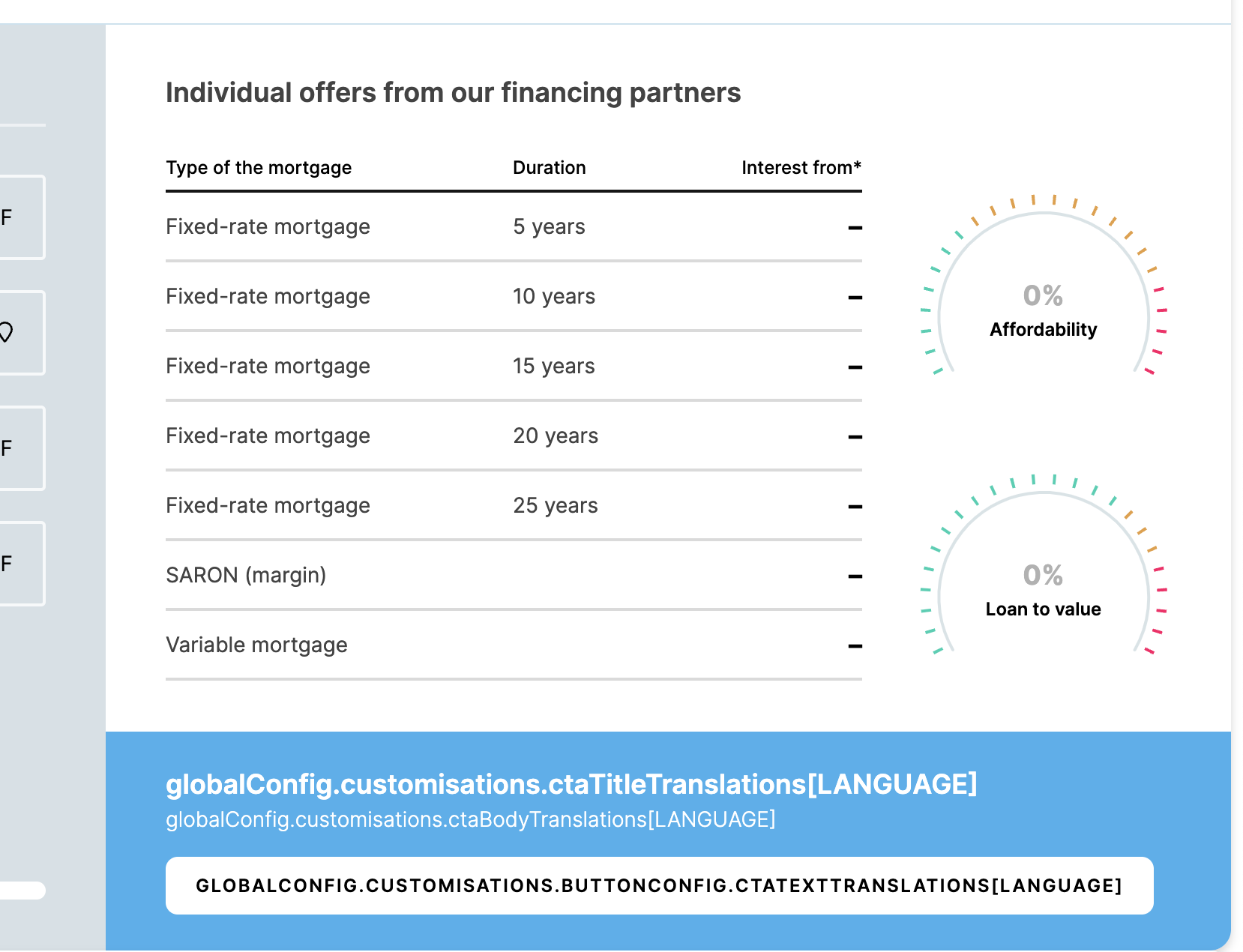
We offer customisation options for styling using self or externally hosted stylesheets, call to action - either redirect URLs or callbacks, and custom interest rates column footer title, message and button wording for all 4 supported languages.
Custom labels are supported for the following items:
To be able to customise the web component, one needs to define a global variable inside a <script> tag in the page, and then provide the variable name to the web component as the config-var attribute. The global customisation object's structure is the following:
var globalConfig = {
  apiKey: '$API_KEY', // Your API-Key
  ctaButtonRedirectUrl: '$REDIRECT_URL', // The URL the web component will redirect to when clicking the interest rates column footer `CTA Button`.
  language: 'de-ch' | 'en' | 'it-ch' | 'fr-ch', // By default, the component will try its best to parse and use the language from the `lang` property of the root `<html>` element. In case you want to override this functionality, provide a value for the `language` property.
  customisations: {
    styleSheetUrls: [ 'https://example.stylesheet.url/stylesheet.css' ], // List of absolute URLs to stylesheets hosted externally or inside your web page, dedicated to delicately customizing the look and feel of the component.
    ctaTitleTranslations: { // Translations in all 4 supported languages of the interest rates column footer title.
      EN: 'English Title',
      DE_CH: 'German Title',
      IT_CH: 'Italian Title',
      FR_CH: 'French Title'
    },
    ctaBodyTranslations: { // Translations in all 4 supported languages of the interest rates column footer body.
      EN: 'English Text',
      DE_CH: 'German Text',
      IT_CH: 'Italian Text',
      FR_CH: 'French Text'
    },
    buttonConfig: { // Extra configurations for working and call to action of the interest rates column footer button.
      ctaTextTranslations: { // Translations in all 4 supported languages of the interest rates column footer button.
        EN: 'English Button',
        DE_CH: 'German Button',
        IT_CH: 'Italian Button',
        FR_CH: 'French Button'
      },
      onClick: () => {} // Callback passed to be executed when clicking the `Find Partners` button.
    }
  }
};
All properties are optional.
<script type="text/javascript">
  var globalConfig = {
    apiKey: '$API_KEY',
    ctaButtonRedirectUrl: '$REDIRECT_URL',
    language: 'de-ch', // Can be omitted if you want the component to parse and use the language from the `lang` property of the root `<html>` element.
    customisations: {
      styleSheetUrls: [ 'https://example.stylesheet.url/stylesheet.css' ],
      ctaTitleTranslations: {
        EN: 'English Title',
        DE_CH: 'German Title',
        IT_CH: 'Italian Title',
        FR_CH: 'French Title'
      },
      ctaBodyTranslations: {
        EN: 'English Text',
        DE_CH: 'German Text',
        IT_CH: 'Italian Text',
        FR_CH: 'French Text'
      },
      buttonConfig: {
        ctaTextTranslations: {
          EN: 'English Button',
          DE_CH: 'German Button',
          IT_CH: 'Italian Button',
          FR_CH: 'French Button'
        },
        onClick: () => alert('You clicked me!');
      }
    }
  };
  (function(sw,iss,fex) {document.addEventListener('DOMContentLoaded',function(){
    fex='https://hypocheck.swissfex.ch/index.js';sw='script';
    iss=document.getElementsByTagName(sw)[0];sw=document.createElement(sw);sw.async=1;sw.src=fex;iss.parentNode.insertBefore(sw,iss);
  })})();
</script><sfx-hypo-check config-var="globalConfig"></sfx-hypo-check>A list of absolute URLs to stylesheets hosted externally or inside your web page, dedicated to delicately customizing the look and feel of the component can be provided via styleSheetUrls property.
Please note that you can always stick to the default styling provided by the web-component if it works for you.
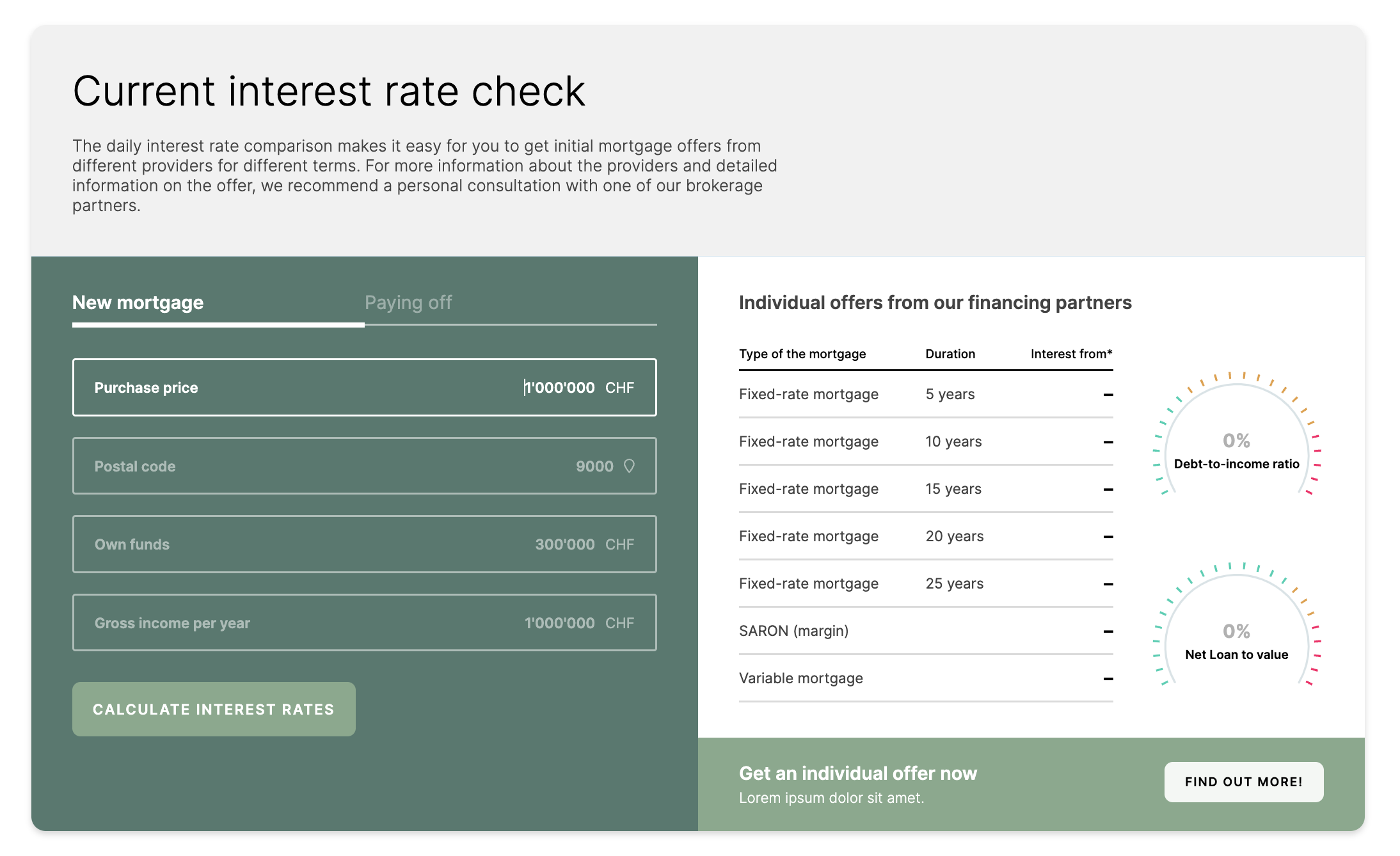
An example of integrating personalized color schemes and other styles to match your own branding or corporate identity:
:host {
    --override-primary-1: #84a98c;
    --override-primary-2: #F3F7F4;
    --override-secondary-1: #52796f;
    --white: #fff;
    --grey: #f1f1f1;
}


/* access header section */
.sfx-hypo-check .sfx-hypo-check__content .sfx-hypo-check-header {
    background: var(--grey);
}

/* access form-column section */
.sfx-hypo-check .sfx-hypo-check__content .sfx-hypo-check__body .sfx-hypo-check__body-column.sfx-hypo-check__form-column {
    background: var(--override-secondary-1);
}

/* access tabs */
.sfx-hypo-check .sfx-hypo-check__content .sfx-hypo-check__body .sfx-hypo-check__body-column .sfx-hypo-check-tabs__tab {
    color: var(--white);
    opacity: 0.4;
}

/* access selected tab */
.sfx-hypo-check .sfx-hypo-check__content .sfx-hypo-check__body .sfx-hypo-check-tabs__tab.sfx-hypo-check-tabs__tab--selected {
    opacity: 1;
    font-weight: 600;
}

/* access form inputs */
.sfx-hypo-check .sfx-hypo-check__content .sfx-hypo-check-form-inputs .sfx-hypo-check-input {
    opacity: 0.5;
    background-color: unset;
    border-color: var(--white);
}

.sfx-hypo-check .sfx-hypo-check__content .sfx-hypo-check-form-inputs .sfx-hypo-check-input.sfx-hypo-check-input--focused {
    opacity: 1;
}

.sfx-hypo-check .sfx-hypo-check__content .sfx-hypo-check-form-inputs .sfx-hypo-check-input.sfx-hypo-check-input--populated .sfx-hypo-check-input__input {
    color: var(--white);
}

/* access form input labels*/
.sfx-hypo-check .sfx-hypo-check__content .sfx-hypo-check-form-inputs .sfx-hypo-check-input .sfx-hypo-check-input__label {
    color: var(--white);
}

/* access form input suffixes*/
.sfx-hypo-check .sfx-hypo-check__content .sfx-hypo-check-form-inputs .sfx-hypo-check-input.sfx-hypo-check-input--populated .sfx-hypo-check-input__suffix {
    color: var(--white);
}

/* access "calculate interest rates" button */
.sfx-hypo-check .sfx-hypo-check__content .sfx-hypo-check__body .sfx-hypo-check__body-column.sfx-hypo-check__form-column .sfx-hypo-check-btn {
    background: var(--override-primary-1);
}

/* access progress bar */
.sfx-hypo-check .sfx-hypo-check__content .sfx-hypo-check__body .sfx-hypo-check__body-column.sfx-hypo-check__form-column .sfx-hypo-check__progress-section .sfx-hypo-check-progress__bar {
    background: var(--override-primary-1);
}

.sfx-hypo-check .sfx-hypo-check__content .sfx-hypo-check__body .sfx-hypo-check__body-column.sfx-hypo-check__form-column .sfx-hypo-check__progress-section .sfx-hypo-check__progress-note {
    color: var(--white);
    opacity: 0.8;
}

/* access offers footer */
.sfx-hypo-check .sfx-hypo-check__content .sfx-hypo-check__body .sfx-hypo-check__body-column.sfx-hypo-check__offers-column .sfx-hypo-check__offers-footer-action-bar {
    background: var(--override-primary-1);
}

/* access offers footer button */
.sfx-hypo-check .sfx-hypo-check__content .sfx-hypo-check__body .sfx-hypo-check__body-column.sfx-hypo-check__offers-column .sfx-hypo-check__offers-footer-action-bar .sfx-hypo-check-btn {
    background: var(--override-primary-2);
}

/* access "calculate offers" spinner */
.sfx-hypo-check .sfx-hypo-check__content .sfx-hypo-check__body .sfx-hypo-check__body-column.sfx-hypo-check__offers-column .sfx-hypo-check__offers-content-wrapper .sfx-hypo-check__offers-spinner {
    color: var(--override-secondary-1);
}
Should you have any technical questions during the setup, reach out to support@swissfex.ch.